

TL;DR: Put email, chat, voice, and social in one queue with one conversation record per customer, so the history follows them across channels. Route voice escalations through that same queue so the call picks up with full context already visible when chat or email hits its limits. Dixa includes voice on every plan, while Zendesk and Gorgias sell it as an add-on. Set SLAs per channel and track them in one dashboard to see queue health across all channels. At tink, Black Friday seasonal hires fell from 80–90 to 10 after rolling out Mim, which handled the repetitive tier-1 work. Dixa reports a median resolution rate of 62% for Mim, its AI agent.
A customer emails on Monday and calls on Wednesday, and the agent answering the call asks them to repeat everything. That moment is what a single-queue help desk eliminates.
When conversations live in separate inboxes, context disappears at the channel boundary. Handle time inflates because agents spend minutes gathering history instead of solving the problem, and customers feel like they’re starting from zero every time they switch channels. This guide shows how email, chat, voice, and social land in one routing engine, how conversations move across channels with context intact, and how SLAs and headcount planning change when you stop managing channels separately.
What changes when you move to a single queue
The shift from siloed channels to a unified queue is an operating model change that affects routing and agent workflow, and it changes how you measure queue health.
How a unified queue replaces silos
Picture the siloed model: email sits in one inbox, chat in another tool, social in a third, and phone runs on a separate telephony system that doesn’t talk to any of them. Each channel has its own queue and routing logic, and reports into its own dashboard.
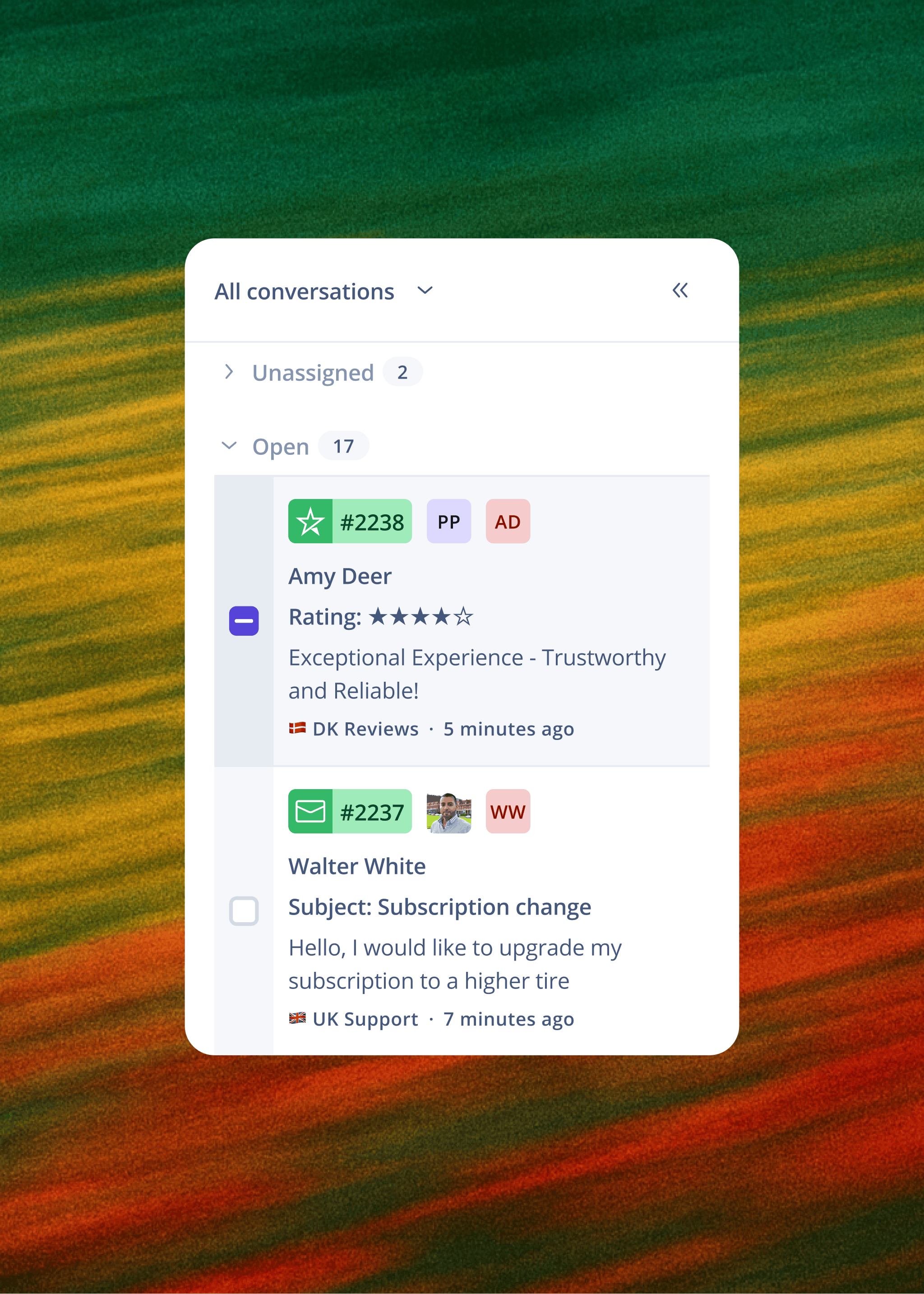
Ticket-based systems create a new record every time a customer switches channels. An email on Monday becomes ticket #4821; a call on Wednesday becomes ticket #4903. The agent answering the call has no idea the first record exists. A unified queue uses one routing engine and one conversation record per customer instead, and agents see every channel side by side in one workspace.
A unified agent workspace eliminates that dead time by putting order and conversation history on one screen alongside live channel access. Dixa routes email, chat, voice, WhatsApp, Instagram, Facebook Messenger, and SMS through the same engine, so priority rules apply consistently regardless of channel.
Why voice belongs in your unified queue
Voice is the escalation path that preserves trust when chat or email hits its limits. A billing dispute or a damaged order often needs a live conversation, and how that call goes shapes how the customer remembers the whole experience.
When voice runs on a separate tool, the agent picking up the call has no context from the email or chat that preceded it, which is when the customer needs that context most. Dixa includes native voice on every plan, while Zendesk bills call minutes and phone numbers as add-ons and Gorgias sells voice as a paid add-on (see the full comparisons). Gartner named Dixa one of four Digital-First Specialists in its August 2025 Competitive Landscape: Digital Customer Service report, the only one recognised specifically for advanced native voice capability.
How each channel works in a unified queue
Each channel has different customer expectations, but in a unified queue, they all land in the same routing engine and follow the same priority logic.
How email fits your omnichannel flow
Email handles detailed, non-urgent queries and leaves a written record both the customer and the agent can reference. When a customer emails about a delayed order, it joins the same routing logic that governs chat and phone. If they follow up by chat because they haven’t heard back, the email thread is already visible to the agent handling that chat.
How chat and messaging channels fit the queue
Chat and messaging channels (WhatsApp, Instagram, Facebook Messenger) are real-time channels with different response-time expectations, and a customer who starts a live chat expects a reply in minutes where email tolerates hours.
In a unified queue, the same routing rules apply, but response-time SLAs are set per channel. Agents see chat conversations alongside email threads in one workspace, so they can move between asynchronous and real-time work without switching tools. WhatsApp, Instagram, Facebook Messenger, and SMS are included in every plan, so these channels follow the same routing and reporting logic as email and voice.
How social media enters the queue
Social messages land in the same queue as email and chat, and this matters because public complaints live in the open: a slow reply on Instagram becomes a public problem.
When a customer sends a direct message about a missing order, it arrives with their full history attached. If they called last week about the same issue, the agent sees the call recording and the email follow-up before replying.
Voice calls as a unified support channel
Voice in a unified queue means the call arrives with the customer’s full conversation history already on screen, so the agent can read the email thread and chat transcript and check the order before picking up.
Native voice runs inside the same workspace as email and chat, with full call centre functionality, routing, and reporting included in every plan rather than sold as add-ons.
How conversations move across channels
A one-queue omnichannel model shows its value when a conversation escalates from one channel to another without losing context.
Moving live chats into voice calls
A chat conversation that reveals a complex issue can transition to a call without the customer repeating themselves. The call starts with the chat history on screen instead of “Can you remind me what this is about?”
The chat conversation and the voice call live in the same queue, so the routing engine recognises the call as a continuation of the chat and surfaces the history.
Transitioning email threads to live calls
An email thread that uncovers a billing dispute or damaged order can move to a call when tone matters. The agent has the thread visible when the call connects and can reference specific details from the written exchange.
Unified customer history in one view
Dixa’s Team Hub shows order history and conversation history side by side. The agent sees what the customer bought and every previous conversation across every channel, next to the live conversation they’re handling right now, all on one screen.
One conversation record per customer across channels
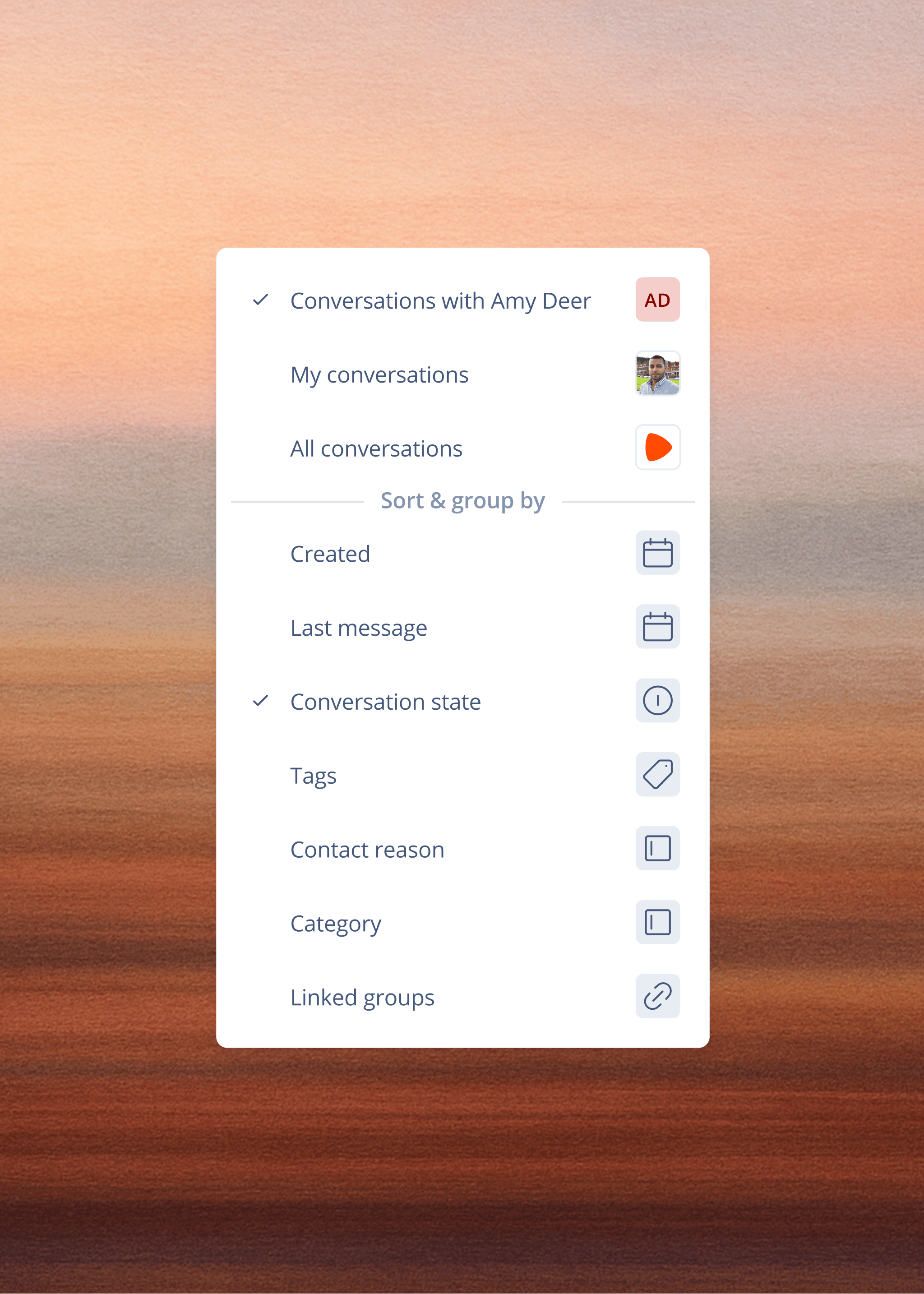
With one conversation record per customer, regardless of channel, an escalation across channels counts as one conversation. This changes how you measure first contact resolution and repeat contact rate, because the data sits in one system under one ID.
How a unified queue simplifies agent workflow
The unified queue changes what agents see when they log in and how fast they can work, and it shifts their time from system navigation to customer interaction.
How a single queue improves agent speed
Agents stop switching tabs when every channel lands in one workspace, and with context already on screen they spend their time solving the problem.
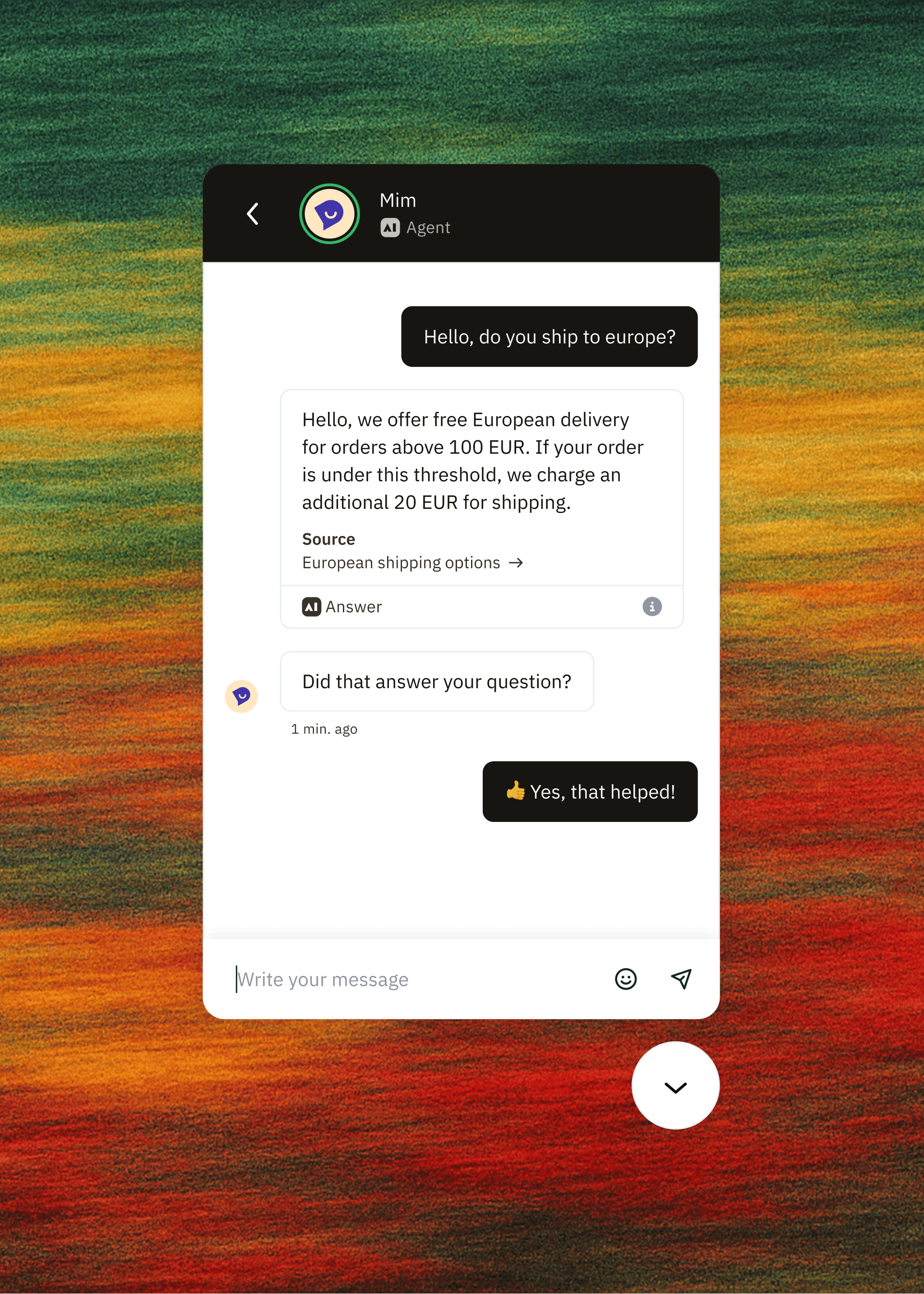
tink, Europe’s leading smart home retailer, cut email response time from 4–5 days to roughly 50 minutes after rolling out Mim, with Mim handling 59% of emails and 70% of live chats without human involvement.
What agents see before they pick up
When a customer calls about a refund, the unified agent workspace shows the original order and tracking status alongside last week’s email exchange and this morning’s chat transcript, without opening a separate tool. The agent sees order data from the OMS and every channel tool on the same screen, so context is gathered before the customer finishes their first sentence.
Automating priority-based queue distribution
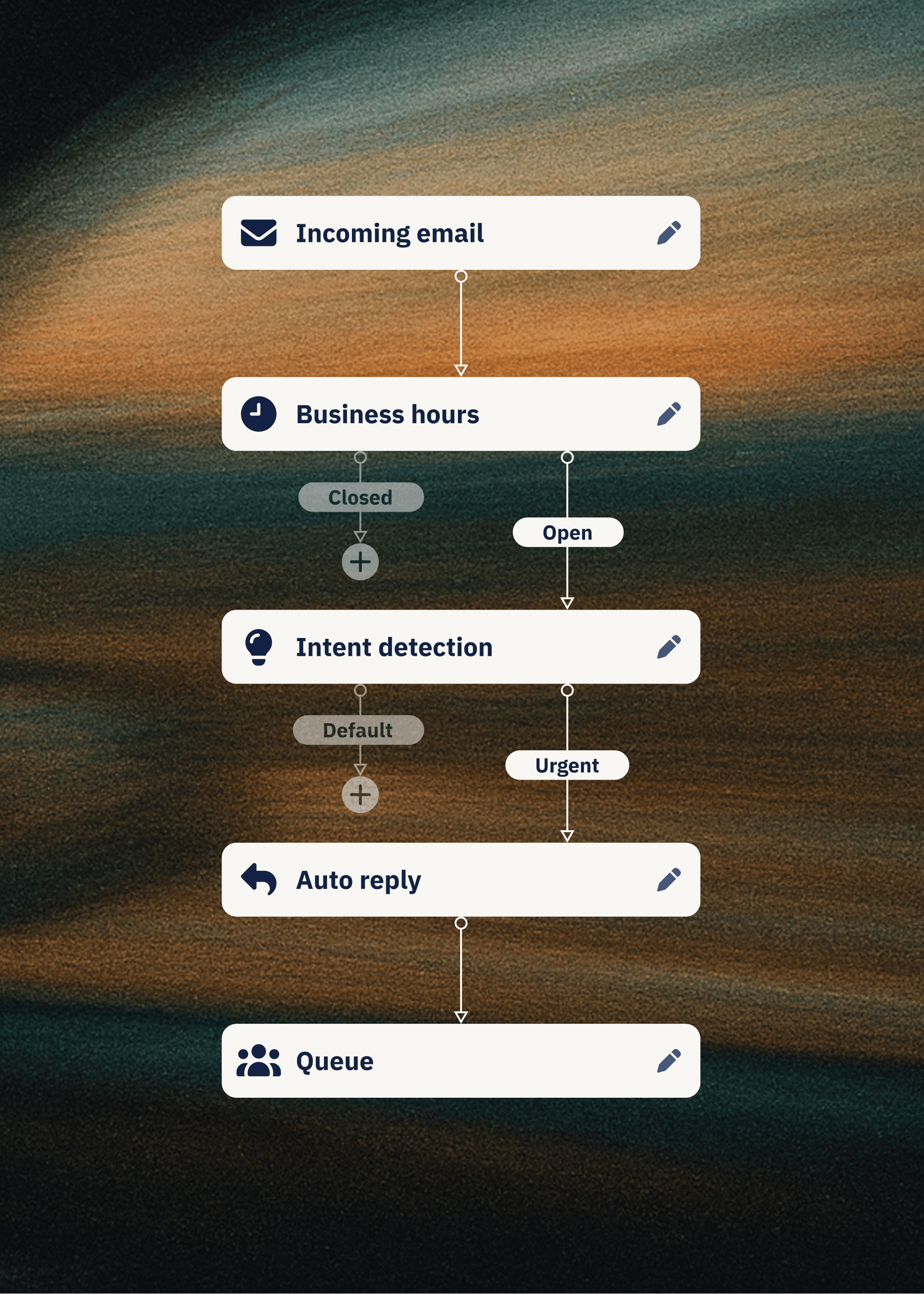
Intelligent routing distributes conversations by skill, language, priority, workload, and VIP status without a developer writing a single line. The CS team configures routing rules in Flow Builder, which means you can change a rule the same afternoon the problem is spotted without filing an IT ticket.
Routing rules apply across all channels, so a VIP customer who emails gets the same priority treatment as one who calls. In omnichannel contact centre software, the routing engine treats the queue as one pool of work.
Managing high-stakes escalations via voice
When a conversation escalates to voice, the stakes are higher: the customer is frustrated and the call is live. The agent’s ability to de-escalate depends on having full context before it starts.
When to escalate conversations to voice
Billing disputes and damaged orders are practical escalation triggers, as is any issue where tone matters more than speed. The escalation decision works best as a routing rule, so it doesn’t depend on an agent judging the case without context. For example, a rule might escalate any conversation tagged “damaged order” to voice after the second email exchange, or route any VIP customer straight to a senior agent with voice capability. These rules are configured in the same Flow Builder that handles all other routing logic.
What full history does for handle time
Full history before the call starts should reduce average handle time, because the conversation moves straight to resolution instead of opening with context-gathering.
Maintaining SLA targets during high volume
Black Friday works as a stress test of a CS operation, because it exposes the weaknesses already there. A unified queue with real-time visibility lets you make live staffing calls instead of counting queues manually.
Tracking voice SLAs alongside email and chat
You track voice SLAs (response time, assignment time, wrap-up time, on-hold time) in the same dashboard as email and chat SLAs, giving you a single view of queue health across all channels. If voice queue depth is climbing while email is under control, you can move agents from email to voice without switching to a separate telephony dashboard, so staffing decisions follow total volume across channels. The same visibility lets you answer the CFO’s question about queue health without exporting a spreadsheet first.
Real-time analytics and queue visibility
Real-time analytics ship with every Dixa plan, so you can answer the “what is happening right now” question without waiting for a report to generate. Advanced Insights, the deeper reporting layer that surfaces contact-reason trends, is included in Enterprise and available as an add-on on Team and Professional. During a surge, you see queue depth and wait times across all channels in one view. That is the difference between making a staffing call at 10am when the queue is building and discovering at 4pm that you’ve been underwater since 9am.
Shifting agents in real time and cutting seasonal hires
When Black Friday volume hits, you see which channels are underwater and which have capacity, and you can shift agents in real time. Seasonal headcount is a staffing band-aid, and moving agents across channels is a structural answer to peak season. At tink, Black Friday seasonal hires fell from 80–90 to 10 after rolling out Mim, because Mim absorbed the routine volume and the team handled the complexity that needed a human. The table below shows how one queue changes the mechanics at peak.
Managing unified volume without adding headcount
The unified queue should change the headcount math because routing and AI handle the repetitive tier-1 work that previously consumed agent hours.
How one queue absorbs volume without doubling the team
Agents learn one interface instead of five tools, so training time drops. One queue also means one set of routing rules and one reporting view, so when volume doubles you shouldn’t need to double the team, because the queue routes and prioritises contacts instead of handing each one to an agent.
Tracking cross-channel CSAT in real time
CSAT tracked by channel and time period makes a dip during peak visible straight away, well before the quarter closes. When you can show CSAT holding while volume grew and headcount stayed flat, the cost-centre conversation shifts. Charles Tyrwhitt improved CSAT from 91% to 92.4% and NPS from 60 to 67 on its 130-agent team, which gives you numbers to bring to that conversation.
See how brands in your vertical are handling peak season volume. Book a 30-minute demo.
FAQs
How does omnichannel customer service work in practice?
All channels land in one queue with one routing engine. A customer who switches channels keeps a single thread, so whichever way they reach you, the history is already there.
What happens when a chat conversation escalates to voice?
The call arrives with the chat history already visible, so the agent sees the full conversation before picking up and the customer doesn’t repeat themselves.
Do agents need to be trained on all channels?
Agents work in one workspace with a consistent interface across channels, so training covers a single workspace.
How does routing work in a one-queue model?
The routing engine matches each conversation to an agent based on criteria the CS team sets, such as skills, languages, and customer value. Rules are configured in Flow Builder, so changes happen without IT involvement.
Can you maintain separate SLAs by channel in one queue?
Yes. You set a target for each channel, and one dashboard tracks them together, so you can spot a slipping channel as it happens.
Key terms glossary
Conversation: The unit of work in a unified queue. It holds one customer’s thread across all channels and replaces the ticket-based model where each channel created a separate record.
Unified agent workspace: A single screen that shows order and conversation history next to live channel access, which removes tab-switching.
Intelligent routing: Rule-based distribution of conversations to the agent best placed to resolve them, configured in Flow Builder.
AI Intent Detection: AI-based routing that categorises conversations by intent and routes them accordingly, available on higher Dixa tiers.
First contact resolution (FCR): The percentage of conversations resolved in the first interaction, without follow-up.
Average handle time (AHT): The average time an agent spends on a conversation, from start to resolution.
WISMO: “Where is my order” queries, one of the most common contact reasons in ecommerce customer service.
Author

Stay in the know
Get CX insights, proven strategies, & the latest news in your inbox every month!